
How to create simple TypeScript Project on Windows
In this article, we will create a simple TypeScript project on Windows and then build and run it from our terminal (command prompt or PowerShell). First, we will install Node.js on our computer, create the Node.js project, install TypeScript, and then build and run the project. After that, we will install another package, but this time we will build and run using the "build" and "start" scripts from config.json file.
How to create a simple web page that uses JavaScript

When trying to learn or improve JavaScript skills as a web developer, it's a good idea to start with the fundamentals before moving on to more complex frameworks and libraries like Reach or Vue. In this post, we will create a simple web page in which the user enters their name into an input field and the page greets the user after clicking on submit button.

Canvas : How to create a simple particle system in 50 lines

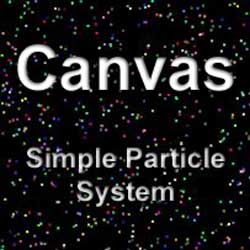
Recently I started to learn how to use canvas HTML5 element and the first thing I tried to do was to draw a small rectangle. Next, I wanted to an add animation loop and move that shape. After that worked, I wanted to add a bunch of them all moving in different directions and this is how my first particle system was born. This article will show you how to create one yourself. The particle system is a pretty basic one. Each particle gets a random color, random direction, and random speed when they are created. After they reach the edge of the canvas, they will bounce off of it.